Tech Guide

Bloggers! Be aware of this new (?) comment-spam technique...

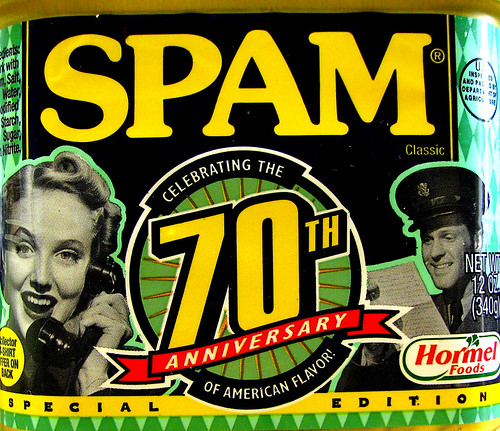
I get a lot of spam comments on this blog - Askimet protects me from around 2000 a month. (The most recent was from 'Luxury Car Makers' who attempted to leave a comment on a post I wrote ages ago entitled 'Why the BL e-books announcement is really important' and which consisted just of 'I hate Lady Gaga'. #fail) But a new one on me has just occurred, twice in two days, so here's a warning in case they try it on you. Some spam, yo

The comment consists of effusive praise, stuff about how well written the post is and how astute it was etc, written in decent English. There are no links in the comment at all and - this is where it differs to previous spam I've had - no link attached the name, either. Most spam comments either try and get you to go to websites by clicking on a link within their comment or by clicking on their name - in the same way that if I commented on your blog, your readers would be able to click 'thewikiman' next to my comment and get back to this site. So these new comments have no such link - hence Askimet not flagging them as Spam, and them making their way through to my comment approval queue.

On this blog, if you've commented before (and enter your details the same way again) your comment is automatically approved, but if you're a first-time commenter I have to approve it. So the only agenda I can think of for this new type of spam is to flatter the user into approving the first one, and THEN commenting about a gazillion more times with proper spam, full of links to dodge stuff, before the blog author can do anything to screen them.

So, just a quick warning in case it happens to you - make sure you don't approve that first flattering comment!

- thewikiman


Marketing libraries in a web 2 world

Above is an edited version of a presentation I gave at Oxford Social Media 2011 yesterday. It's primarily about marketing academic libraries, but actually most of it applies across the sectors.

There were some great presentations and I had a great time - check out Jo's slides on marketing yourself, and I'll link to Michael's slides on public libraries and social media when he stickes them online.

UPDATE: All the presentations are now uploaded in one place, check them out here.

- thewikiman

How to turn your blog into an app for iPhone

Picture of my blog as an app Wow! Less than an hour ago I saw this tweet:

... and 50 minutes later I have an app for this blog! Amazing.

The low-down

www.bloapp.com is a new site which allows you to create an iPhone app out of your blog. The crucial things to know are:

  • it's free
  • it's incredibly straightforward
  • you retain your intellectual property
  • it works .

Get my app!

The way Bloapp works is that you download the Bloapp app, and then subscribe to blogs within it that have been 'apped'. (That's not a real word, I just invented it; I mean registered with bloapp, basically). A bit like the Stitcher radio app works. So, you can download the Bloapp app from iTunes here, and then you can subscribe to this blog either by searching for thewikiman or, more excitingly, scanning this QR code within the app itself! (By the way, if you scan this QR code outside of the app itself, it just takes you to the normal mobile version of this blog).

The details

You register for the site, and give the URL of your feed, name of your blog etc. Then you get to some very good customisation options - firstly you choose a visual theme. Here's one I didn't go with in the end:

Then you get to tweak it - the header appears at the top of the page, and the logo appears within the Bloapp app when you're choosing which blog you want to read:

 

As you can see, it previews the header on the right so you know how it looks. You can then edit the fonts (both style and size) and the background image.

Once you've sorted all that, you need to add a meta-tag to your blog's html. (It supports wordpress, blogger, tumblr, posterous and the rest, incidentally.) Then that's it, your blog is registered and available via the app. You're given the QR code with which to publicise it.

When you then go into the app on your iPhone and scan the QR code within the app it looks like this:

...and once you've done that, it goes into your bookmarked blogs, and that's when the logo comes in to play, like this:

The home-screen of the blog displays your 3 most recent posts, and the posts once you go into them look great:


You can tweet links from within the app too, which is nice. And you get statistics from your Bloapp dashboard as to how many people have bookmarked your blog in the app.

Use in libraries

Making an app is incredibly expensive and / or incredibly expensive. I looked into it once before, and found a site that looked great and was known for being good value. I was excited right up until the bit that said 'packages are available from just $250 a month!'. Wow. So this, if it continues past the beta stage, is a fabulous opportunity for libraries to get on-board with new technology at no cost or really any hassle at all. My advice is to go to www.bloapp.com and set your library's blog app up (and your own blog, of course) - if you're worried about the fact that it's beta, you don't have to publicise it yet.

People are reading more and more on phones. You know all the stats already (all phones will be smart phones by the end of the decade; we'll access the internet more on phones than on PCs by the end of next year; people are preferring to read on apps than on mobile sites more and more, etc etc) so this has come along at a great time. Unlike the standard iphone widget you can install on wordpress.org blogs, this retains something of your blog's visual identity, too.

Do it! And when you've done it, let me know so I can subscribe. :)

- thewikiman


The ultimate guide to Prezi


Update: the Prezi itself, below, was updated in May 2013 with some more tips, examples, FAQs, and also to cover the new Prezi interface.

I've been meaning to do this for ages, so here we go: a complete guide to the presentation software Prezi, from what it is and why to use it right up to advanced techniques for making your presentation absolutely killer.

Works best on full-screen, as ever.

I created this for a workshop next week in the library, so I was going to launch it then - but Prezi themselves have started promoting it via their Facebook presence and on their Explore page. (You should really check out the Explore page, some of the Prezis on there are amazing!) So seeing as it's gone global already, I've brought things forward.

I created a hand-out for the workshop, which features screen-grabs of the nuts-and-bolts instructions on how to use Prezi, plus this basic overview for those completely new to it:

The basics

The basic principle of Prezi is to put objects on the canvas and link them together with a ‘path’. Your presentation will then consist of Prezi moving from object to object, zooming in on them in the order you’ve chosen.

Objects can be text boxes, images, youtube videos or graphics. You can write and structure your presentation exactly as you would a PowerPoint, or you can do something completely different.

Just click on the canvas anywhere to start adding stuff.

A typical process of creating a Prezi might consist of these stages:

  1. Plan the structure and outline of the presentation
  2. Add the text, plus any images / videos etc
  3. Move them around and arrange them in a coherent order on the canvas
  4. Plot the path between them in the order you want to use
  5. Click ‘Show’ and watch the presentation back, then refine it if you need to .

If you found this guide useful, I've written a bunch of others to various things like twitter, blogging platforms, netvibes and so on - they can all be accessed here.

Happy presenting!

- thewikiman

3 essential things to do AS SOON AS YOU JOIN twitter...

twitter 't' When most people join Twitter, they don’t know whether they’ll stick with it or not. For this reason, they often start following a few people before they’ve really set up their profile, and this can actually end up being detrimental to their twitter experience.

The reason is, when you start following someone, in most cases they get an email saying ‘X is now following you’ – this email includes your bio, your pic, and a link to your profile. If you don’t have a bio, your only tweet is something along the lines of ‘Don’t really understand this twitter lark!’, and your picture is the default twitter egg, chances are they won’t follow you back. And seeing as you’ve gone out of your way to identify key people to follow first of all, this is potentially a huge missed opportunity to engage with people who you’d get a lot out of chatting to.

So to avoid this, and generally get off on the RIGHT foot on Twitter, here are 3 very simple things to do right away, as soon as you join, and before you do anything else:

  1. Put in a picture, preferably a head-shot. If you’re really camera shy then put in a picture of a robot or whatever, but put in SOMETHING – lots of people refuse to follow anyone with the twitter egg, right off the bat. Twitter is a personal medium – even if you’re only using it for professional networking, you really need a picture of yourself up there.
  2. Put in a proper, engaging bio. Remember, people get emailed when you follow them. Oh, who is this new follower and shall I follow them back? I don’t know who they are because they’ve not put in a bio – so I won’t bother. Twitter is about connecting with people – use the bio to say something about yourself, which will make the kinds of people who you want to connect with, want to connect with you. Try and avoid ‘reluctant twitterer’ or similar as the last sentence.
  3. Write a couple of tweets. I know it seems silly to broadcast tweets to no one, but you need to give people something to go on when they’re deciding whether to follow you back. Everyone’s first tweet is roughly ‘Am trying twitter out – hello world!’ or something along those lines, and that’s fine, no one expects your first tweet to be a work of 140 character genius. But follow that up with something more meaningful, perhaps about what you want to get out of Twitter, the types of professionals you want to tweet with, or maybe a link to a really useful article or piece of information. .

Just do those 3 simple steps and you’ll hit the ground running, and have more chance of developing relationships with people who matter to you.

- thewikiman

More on stuff on Twitter from this blog: