
I love prepping a talk, which is what I've spent the last few days doing ahead of my keynote at #UXLibs 10s today. Here are some things I've found helpful in the process.
1) Get your ideas down first; sort the visuals later. Think of it like building a house - you lay the foundations and see the walls are going before you pick furniture and colours... Sometimes the content can dictate the style, too.
2) Make a version with everything you want to say. Don't worry about timings or length at this stage.
3) Practice, out-loud, like you mean it. You cannot practice a talk in your head - you'll unknowingly take shortcuts and find yourself facing a slide on the day and not knowing how to actually express yourself. To get the language right you need to do it at full volume, as some things (especially colloquial phrases) just don't work when you're projecting your voice.
4) Time the your talk. The chances are it'll be long; that's fine. It's easier to make it long and work out what to cut, than it is to try and make it the right length in the first place where you might accidentally leave out more impactful themes or framings.
5) Get it the right length, then cut another 10% off anyway. Things always tend to go longer than you think at conferences. Or maybe there's a tech issue, or the host's intro takes too long. It's better to be too short than too long, because the latter eats time from other speakers. So if you have a 40 minute slot, prepare 36 minutes; for a 10 minute slot, prepare 9 minutes, etc.
6) Run it one more time, and note the key timings of where you'd expect to be for each section. I've posted a picture of mine below (forgive my handwriting). The idea is if I get to, say, slide 36 and I'm already on 20 minutes, I'm going long and need to tighten up and compensate. This is a *really* useful piece of paper to have in front of you in a talk.
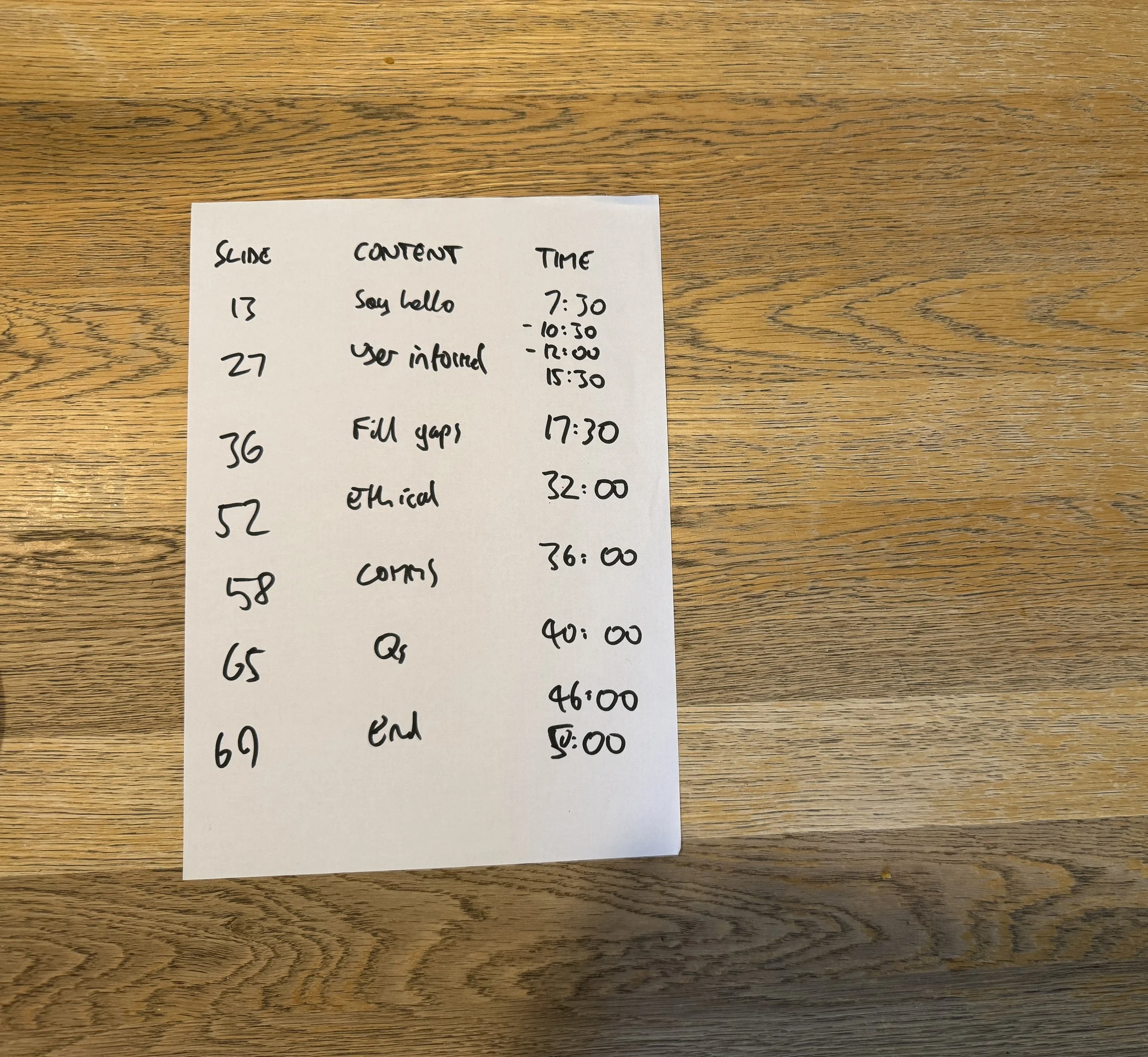
7) Don't put questions right at the end. I think it's better to put questions 5 minutes before the end, then answer the questions and do your final summing up - end the talk on your terms.
8) Add the alt-text (assuming your slides will be shared afterwards). I use a lot of boxes as part of my slide design, and it takes a while to mark them all as decorative, describe my graphs etc.
9) Make a sharing version. The slideshare edition of my slides may have slightly more text on, and I'll have hidden slides which don't make sense without any context, before saving the PDF.
10) Save it to a stick, save it to your laptop, AND upload it to the Cloud... That should cover almost any eventuality!
If there are any tips would you add, let me know in a comment! The next post on here will be my slides and relevant links from the UXLibs talk. I love running Presentation Skills training and workshops, so if you’d like to book something bespoke for your organisation, you’ll find details of what I offer and feedback from previous workshops towards the bottom of my Training page.