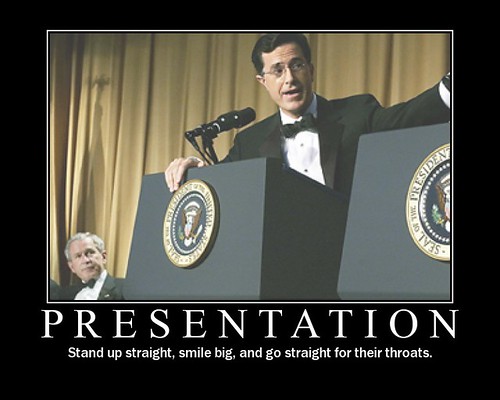
Presentations

People don't need to know about all the services we provide - they just have to know what's relevant to them

Reblogged from the Library Marketing Toolkit Pew Internet have just released their 10 key findings from their Library research:

The slide I'm particularly interested in is number 11, which tells us that:

  • 22% say they know all or most of the services their libraries offer
  • 46% know some of what their libraries offer
  • 31% know not much or nothing at all of what their libraries offer . .

Initially this makes somewhat depressing reading, statistical proof of what we've all known for a long time: the public don't understand what modern libraries actually DO. The library brand is so synonymous with 'book' that there's little room for the many and varied services we offer, and it really is the services we must emphasize in our marketing, now the content we provide is often readily available by other means. Ambiguity or confusion is the enemy of great marketing - simple messages stick so much better. But inevitably, as we change to accommodate the new needs of our users, and add more and more aspects to the offer we make, it becomes harder to summarize the modern library and easily communicate how we can help people in their lives.

Actually though, the figures aren't that bad. 22% is a surprisingly high number to know most or all of the services their library offers - I'm not sure I know all the services my library offers and I work there! With an offering as diverse as ours no one needs ALL that we offer, so what matters is not everyone knowing everything, but each group knowing what is relevant for them. Perhaps it's time to stop worrying about whether people 'understand' modern libraries in general, and move on to simply ensuring that the parents know what services we offer for children, the people on the wrong side of the digital divide know we can help them get online and use new technology , the people who hold the purse strings know how important we are to the local community, and so on.

This process is formally referred to as 'segmentation' or 'segmenting the market' - dividing your users up into groups, basically, and tailoring the message to suit each one. It's something library marketing types go on about a lot, and perhaps fills non-marketing types with dread... But it doesn't have to be intimidating. At its simplest level, you’re targeting each group with a slightly different aspect of the same message, making sure they know about one key service relevant to them, and then letting them discover the rest once they’re in through the door.

Going back to Pew’s findings. the 31% who know nothing of the library is much more worrying. But again, the approach needn't be 'how do we tell all 31% everything we do in the Library!' - it can be about dividing that 31% up into existing segments, and targeting them with relevant services. The average person in the street doesn't need to think 'I know all about the Library'; they just need to think 'I want to start looking into the genealogy of my family tree, and I know the Library can help me', or whatever their need might be.  Segmenting the market is hard to do, but it's proper marketing - the results can be hugely beneficial.

10 non-standard tips for public speaking!

Old-school presentation image  

I teach a full-day Presentation Skills course for the British Library, among others, and I recently sought feedback on it from someone I trust. The thing he wanted more on - and it was one of those 'it's obvious now they say it' moments - was presenting itself, the process of it, rather than just preparing the materials. There was indeed a section on this in the training but it wasn't very long, so in order to improve the course I've read up on it a bit more; I learned a lot of useful things (and had others I already knew better articulated to me) so I thought I'd share some of them here.

Preparation

1. It's better to know the subject than the presentation. Learning anything from memory is really hard. But so is looking at notes, or reading presentations out from a script. If I try and learn a presentation I get worried - I'm aiming for something so specific, there's a feeling of pressure around getting it right, and a feeling that if I forget something the whole house of cards will fall apart. I prefer to only speak about stuff I know a bit about, and just use the slides to reinforce key points and basically prompt me to talk about certain aspects of a topic, as appropriate to that particular audience. This is much more relaxing than worrying about remembering particular phrases etc. It also means you're more flexible - things can even be tackled in a different order based on what the audience wants, for example.

In short, you can't be derailed because you're not on rails. That's a very reassuring feeling.

2. Imagine your audience leaving the room (after your talk!). It's often very hard to know where to start when creating a presentation - the default position is 'what do I know about this subject?' but actually that's the wrong way around most of the time. The more pertinent question is 'What do the audience want from this subject?' - if you imagine your audience leaving the room after you've spoken, what have they learned, what do they know now, what did they get out of it? Think about what is important to them in that moment, and build the presentation from there - if necessary going and doing more research beforehand, so you can talk more authoritatively about what matters to them.

3. The rule of three - there might be something in it... I've heard many times now that we remember things most easily in groups of three. There's a lot of it about - 3 act plays, stories with a beginning, a middle and an end etc. Presentations-wise, it's relevant because the audience will likely only remember 3 things from your presentation, so you need to make sure these are the most important three! If you're completely stuck for a structure, try the 3:3:3 method - three main parts of your presentation, each divided into three sub-sections, and if necessary each of those subsections divided into three as well.

4. Store your presentation in the cloud. Of course every presenter takes their presentation along on a USB stick but USB sticks do break sometimes, and they're small and easily lost. So a sensible back-up plan is to store your presentation in the Cloud, and of course the easiest way to store your presentation in the cloud is to email it to yourself. (Then it's backed up twice! Once in your inbox, once in your sent box. :) )

5. Have a one-page cheat sheet. Part of presenting well is being relaxed, and a lot of being relaxed (for me, certainly) is knowing exactly what your doing with the logistics of the day. So make a one page document with EVERYTHING you need to know in it: presentation start time, room number, directions to the venue, contact name and details, train self-ticket machine reference number, etc - print it out and carry it with you, and email it to yourself so you can check it on your phone. You're much more likely to arrive relaxed, on time, and focused.

Delivery

6. Look everyone in the eye, then pick your favourites to come back to... This is particularly useful for nervous speakers. Public speaking is about communication, and communication is better with eye contact. So I will try to literally look every member of the audience in the eye at least once, at least as far as I reasonably can. (After 5 rows or so, it's hard to be specific.) During this time, I'll notice a few people who are particularly receptive - they're nodding emphatically, or smiling at what I'm saying - and I'll come back to them throughout the talk, as a form of encouragement... I don't get nervous anymore, but even as a non-nervous person I like to see people on my side. (The flip-side of this idea is to work on the more indifferent members of the audience - or even hostile, but that doesn't come up too often in our industry, thankfully - by focusing more explicitly on them.)

7. Remember if people are looking down at a screen and typing, it's a compliment. I can imagine that it can be disconcerting if you're not a Twitter user, and you see people looking down at their phones rather than up at you. It must feel like kids ignorning what you're saying and texting their friends. But it's a good thing! They're sufficiently invested in what you're saying that they want to broadcast it to their network on Twitter - it's also a way for them to make notes at the same time. And of course, that means your words are reaching a bigger audience, which is excellent.

8. Have a Plan B for your intro and your outro. It sounds obvious but knowing what your opening line is going to be is quite important. Sometimes people decide to with something like 'Hello everyone, my name is Ned, I'm from York' but then the person introducing them says 'This is Ned, he's from York' so you really can't use that one... So know what you'll say if your planned opener is ruled out for whatever reason. The same goes with the closer - if it's covered in the questions for example, or if you finish surprisingly early and need some more material to call upon, have a relevant topic in mind in advance.

9. Listen very carefully, an introvert will say this only once... Lots of people reading this will be introverts; I'm one, certainly. A characteristic we share is only saying stuff once - if it's said, it's done with, we don't want to say it again. I feel embarrassed telling a story to someone if I know I've told it to someone else, even if the two people are completely unconnected! But in presentations we have to fight that instinct, and make sure we say the really important stuff (main arguments, big statements, statistics, quotes) at least twice; perhaps in different ways but at least twice nevertheless.

10. Think in tweetbites. You thought it was enough to think in memorable soundbites! Not anymore. For the maximum impact, your most important statements needs to be tweetable so that your presentation is amplified beyond the walls of the room you're in. You've put hours of work into it, so why not double, triple or otherwise exponentially increase the audience for your key messages? Think in quotable, tweetable chunks (as long as that's not actually to the detriment of your presentation, of course...).

---

Is there anything else you'd add? I've love to hear from you in the comments so this post becomes more useful over time.

More tips

You can find all sorts of presentation tips online - the following three articles were particularly useful in assembling the list above: 30 quick tips for speakers; Compulsive obsessive details will save your neck; and the Introverts Guide to presenting.

As the title suggests, these are non-standard tips for public speaking - which is to say, beyond the obvious ones everyone knows such as not facing away from the audience etc: for more 'nuts-and-bolts of presenting' advice, and more on creating materials, check out these previous posts:

Plus there's also this early blog post on: tips for first time speakers.

Good luck!

Twitter for Researchers guide

At my institution we're really stepping up our support for researchers, and I've been doing a lot of stuff around the Web 2.0 end of the spectrum. I'm running a suit of workshops called Becoming a Networked Researcher, and I've been into departments to give taster presentations like this one:

We've also finally completed a guide to using Twitter for Researchers. It's more a Twitter for Researchers actually, rather than the process of academic research itself (although that is possible). I've hosted it on Scribd in order to embed it on our web pages, and it got picked up and featured on Scribd's homepage so that helped boost the number of views it has had, which is huge, relatively speaking - around three-and-a-half-thousand. Plenty of those have been from York researchers, which is great - they've given us a lot of positive feedback and ReTweets.

The guide took a surprisingly long time to do - the difference between knowing stuff and actually writing an ideal version of it down in a document never ceases to disappoint me... Adding examples took a while too. I couldn't decide between very brief of very comprehensive - in the end I decided somewhere between the two, keeping it as short as possible but including a LOT of information. The idea is, if they want more, they can come to the Twitter workshop as part of the Becoming a Networked Researcher suite.

Anyhow, here it is - feel free to use stuff from it, with attribution:

Twitter for research by University of York Information

There'll be some more University of York Library stuff on the blog shortly, around Digital Literacy, videos etc!

- thewikiman

Rebooting infolit, the BATTLE DECKS way

This is quite a long post because I'm very excited about all this... Here's the super-short version: I decided to completely redesign my academic skills teaching. It went really well. Feedback was great. The students took part in Battledecks competitions, which was awesome. I learned certain things along the way. I think there's room for rethinking our approach to infolit.

Background

I do quite a lot of external talks and workshops, and much to my relief the feedback is generally better than I could hope for. What's more, I really enjoy them. I also do a fair amount of academic skills teaching as part of my job, and the feedback is just okay. And I don't particularly enjoy it a lot of the time - I enjoy the interaction with students, but I can't get worked up about the sessions, they feel a bit dull for all concerned.

Last academic year was my first as an Academic Liaison Librarian, and although I'd done information literacy sessions before I wasn't sufficiently confident to do more than take my predecessors' induction teaching materials, and try and make them my own. This time around though, I wanted to see if it was possible to do something different. I basically wanted to approach this presentation like I would an external one, and see if the students could get more out of it.

The biggest problem I have with teaching academic skills to undergrads is that the subject matter is boring. It really is dull. And a lot of it probably not that useful either; maybe to one or two students, but not most of them. I wrote a whole book without once using advanced search techniques for example (some would say it shows :) ) so why would a 1st year realistically want to know about them? For infolit teaching my process used to go like this: look at all the stuff I have to tell them about the library, and then work through it as unboringly as possible. For external workshops my process goes like this: think what is most useful and interesting to the audience, then try and present it in an engaging way so it stays with them.

These are definitely distinct approaches. Thinking about what is most useful to the audience may well involve not actually talking about 'library' stuff nearly as much. But if the students get more out of it, is that really a problem?

The plan

  • Tell them about all sorts of things - some of them directly Library related, and some of them more generally information related
  • Brand it like I would an external presentation - so rather than 'Library session' or whatever, I titled it '6 really useful things to make your academic life easier' (classic marketing tactics - sell the benefits of the session not the features, and stick a number on the front so it feels focussed)
  • I created the slides like I would for an external presentation - ie I tried quite hard to make it nice, and didn't use any kind of template
  • No workbook - instructions on the slides, and embed the slides where they can find them later for all the links etc
  • Introduce Battledecks to end the session. Battledecks is something that happens in US Library conferences, where participants battle against each other, presenting on slides they've never seen before, which move on automatically after a certain amount of time (usually 15 or 20 seconds per slide). I've also seen it done here as part of Betta Kultcha sessions. Earlier in the year I tried it with some slightly drunk librarians at an SLA event as a way of summarising the session - what better way to reinforce the key points then to get someone else to do it? Better than me droning on about the same stuff all over again. Plus it's always quite hilarious, seeing people improvise over slides which are often just tenuous visual metaphors for the subject matter...
  • (In this instance, our local cinema City Screen had given us some free student memberships to use as prizes in the Battledecks. I'm now thinking about local business I could contact about providing prizes for my other departments in the future. I offered each winner 4 student memberships - worth £100 in total, it has free tickets, money off at the bar etc - so they could give some to their friends. Having a desirable prize definitely helped ensure we had volunteers! We used an applauseometer to decide the winners in the session, and the last thing I wanted was for anyone to feel bad having been brave enough to volunteer so I declared each session a draw and gave both participants the full first prize...) .

The stroke of luck

I was only planning to do this with the Department of Film, Theatre and Television because I was banking on there being enough performers in each class for there to be Battledecks volunteers. TFTV are a fantastic department and very supportive of what I try and do with them, and the head of department Andrew Higson has been extremely helpful in trying to further embed info lit. This year I did my usual 15 minutes as part of the general induction talk, to tell them about the Library and the services we offer (using the interactive map prezi with lots of our new videos embedded in it) and got the actual PC lab session moved back to Week 4, when the students aren't drowning in new information, and have been set assignments so realise they'll actually have use for the Library.

The stroke of luck came when Andrew invited me to do another 15 minutes in one of his lectures, the day before my PC lab sessions. It meant I could get all the not-overly-exciting-but-absolutely-neccessary stuff about finding resources off reading lists out the way then, and focus on more non-library stuff the next day.

The session

The session (the same thing repeated three times to get all the first years in) went really well - it felt quite good at the time but the feedback suggested it was very good. Here's the slides I used (which, incidentally just got featured on the Slideshare homepage - spreading the word for infolit!):

Battledecks was AWESOME! What I really like about it, just like at the SLA event, was that although it was hilarious and there were times when the presenter literally had no idea what the slide meant (until a member of the audience shouted out 'Duck Duck Go!' or whatever...), it was actually a really, really good summary of the session. It showed they'd really listened, they picked up on the key points and they fed them back to their peers. So much more effective than me summarising. And because it's the last thing we did and by far the best part of the session, it meant everyone left feeling happy (and gave good feedback!).

The feedback

The best part of this was the feedback. I compared it to an equivalent set of sessions from the previous year and in terms of rating it from 1 (outstanding) to 5 (terrible - there were no  4s and 5s  in either year hence they don't appear below) there was a huge improvement:

Feedback showing an improvement of around 30% in most areas

This was great (not Judge Business School great but better than I am used to!) but I know from filling in those sorts of forms myself how easy it is to just tick numbers, so I was more interested in the comments.

Some of them referred to how the session had cleared up specific problems they'd been having, which was great. One referred to the 'excellent academic insight'. One person said 'I used to hate PowerPoint; you made me love it' (!), lots said it was either great or perfect, and one person ticked the box to say there was 'too much' covered in the session but then left comments in capitals that said 'BEST PRESENTATIONS EVER! PERFECT. THANKS FOR EVERYTHING'... There were lots of smiley faces, a few nice comments about me, and a third of them took the time to answer the 'what could be improved about the session?' question to specifically say that it couldn't be better (one person wrote: Not physically possible!). It was overwhelmingly better than my (distinctly underwhelming) feedback last year.

What was also interesting was that in answer to a question about what they found most useful, by far the majority replied that the stuff on SubjectGuides and JSTOR etc was the most useful (and none of them picked it as the least useful) - so smuggling in the Library stuff amid some more glamorous stuff elsewhere obviously didn't diminish its impact, in fact I'd argue it probably increased it.

Conclusions and changes

As you can tell I'm really chuffed about this. I enjoyed the fact that the students actually got more out of the session. I enjoyed the chance to talk about what I was interested in. I enjoyed actually applying the stuff I do / learn externally to my day-job (something my previous employer when unable to imagine was possible, but my current employer are very supportive of). And just as an aside, a colleague of mine tried this whole idea with Archaeology students and they really liked it too - proving that you don't need a great prize and a room full of budding actors to get battle decks volunteers...

When I do it again I'll be making some changes based on the feedback - in fact the slidedeck above is the 2nd version with some of this already taken into account. Someone suggested more funny clues for the battle-decks (hence Jay-Z is in there, rather than the JSTOR logo as used to be the case...) and someone else said they'd like to have seen some kind of information finding competition earlier in the session. I'd love to make it more interactive prior to the big battle decks finish, certainly. (The most common suggestion for improving the session was 'free chocolate', by the way...) I still don't think I'm very good at getting the balance right between talk, discussion and hands-on exercises so I'd like to improve how that works generally.  But basically, it was fun! I'd genuinely recommend Battle decks to anyone - feel free to steal my slides if you'd like a starting point...

If you have suggestions on how to make sessions like these more interactive, or you've revamped your own infolit and the students have responded well, let me know in a comment!

- thewikiman

Digital Marketing Toolkit - workshop December 5th

A brief post to let anyone interested know that I'm running a one-day workshop, at York St John University on the 5th of December, on behalf of UKeIG. It's all about marketing with new technologies. Moving beyond the social network basics, this course will look at how to identify which technologies will be useful for marketing your organisation, how to use them effectively, and tips, tricks and general best-practice for marketing online. Topics will include marketing with video, viral marketing, mastering geolocation (such as FourSquare), mobile apps, publishing online, getting the most out of QR Codes, and taking social media marketing to the next level.

I'm also keen to accomdodate any other apsect of digital marketing that people would like to cover - if you're already booked on the course then let me know what you'd like to cover (and if you're not attending, I'd still be interested in the kinds of things you'd like to see covered on a course like this...).

Details of the event (including a booking form) are on the UKeIG website.

Hope to see you there!

- thewikiman