Marketing

A guide to the best free sites for cc0 art and stock photography


I recently wrote a guide for my library's blog on the best sites for high quality, free, and public domain images. I've recreated part of it below.

These sites are hugely useful for marketing purposes, as you can use them in websites, posters, slides, on social media (but NOT insta! That needs your own photos on...) and so on, completely legally and without shelling out any cash.

The sites listed below contain images which have been made Creative Commons Zero (also known as CCO) by their creators, are available to use by anyone, however they like. The images are in the Public Domain and can be reproduced, incorporated into other works, modified, and reused, without needing permission and in most cases without even needing to credit the author.

Free to use stock photography

Pexels

Pexels is the CC0 site I go to first when creating slides or websites. It's good on technology particularly, but covers loads of areas well, with stock photography that is far above the average stock shots. It has tens of thousands of pictures, including the ability to search by colour, and also has a sister site dedicated to CC0 video.

A selection of images found using pexels.com's colour browsing facility

A selection of images found using pexels.com's colour browsing facility

Stocksnap

Once you start using CC0 image sites you get used to seeing the same stock photography appearing on many of them (it comes with the territory, as the fact that the copyright has no restrictions means any site can pick them up and use them - you could start an image bank right now using CC0 images if you wanted to), but Stocksnap seems to have a few more pictures which are unique to it. Thanks to Hilary and Luke who showed me this at the PPRG conference. Here's the 'recently added images' from today:

The most recent additons to StockSnap.io
The most recent additons to StockSnap.io

nappy.co

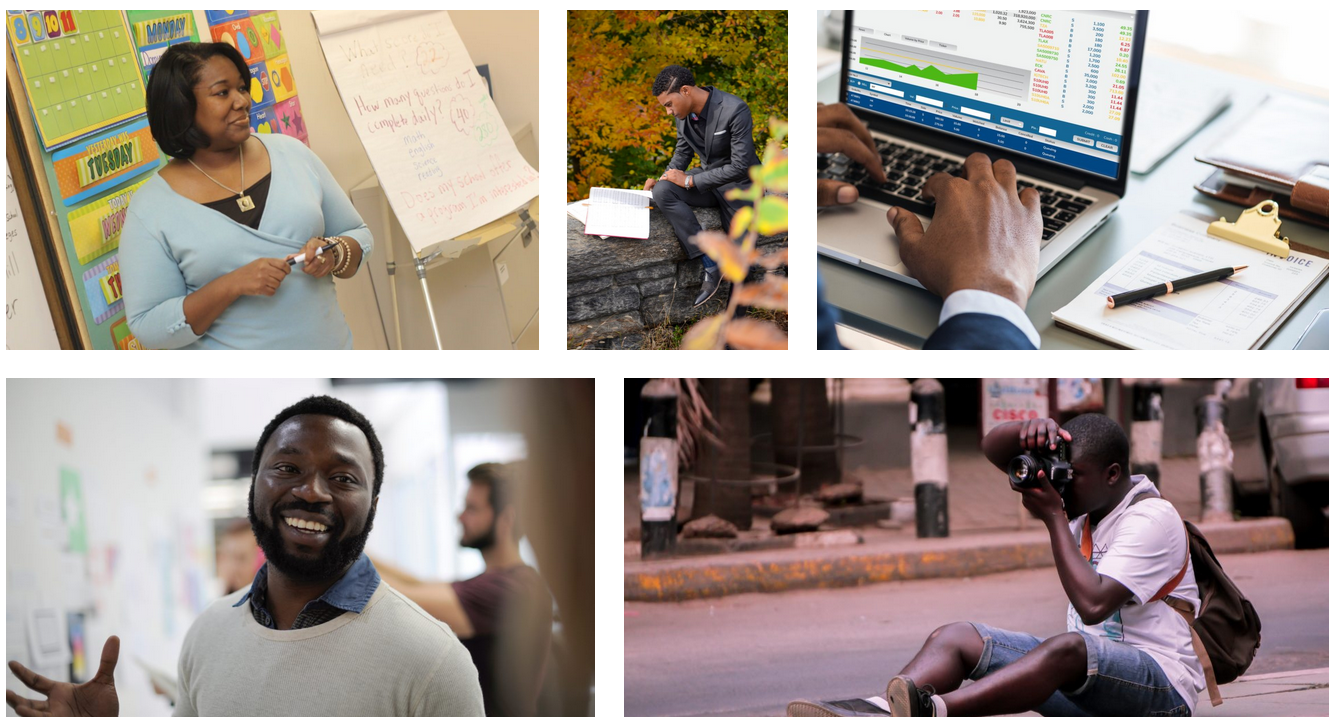
Nappy describes itself as “Beautiful, high-res photos of black and brown people. For free” and this is a rare thing: stock photography is often VERY white. Thank you to @AgentK23 for giving me the heads-up about this site.

Photos from the ‘Work’ category of nappy.co

Photos from the ‘Work’ category of nappy.co

finda.photo

finda.photo (that's the actual URL as well as the name) searches through lots of other CC0 sites in one go, including the excellent UnSplash. As well searching by keyword you can browse by colour, collection, or original source.

Images from the 'Glare' category of finda.photo

Images from the 'Glare' category of finda.photo

Interestingly after I tweeted this, Unsplash got in touch with a reply, and pointed out that finda.photo only searches a relatively small percentage of their photos:

I had no idea this was the case! So, worth going direct to Unsplash.com too.

Gratisography

For some pictures that are about as far away from tired stock photography cliches as it is possible to get, head over to Gratisography. Quirky, odd images, of extremely high resolution and quality, free to use in any way you see fit. There's really nothing quite like it.
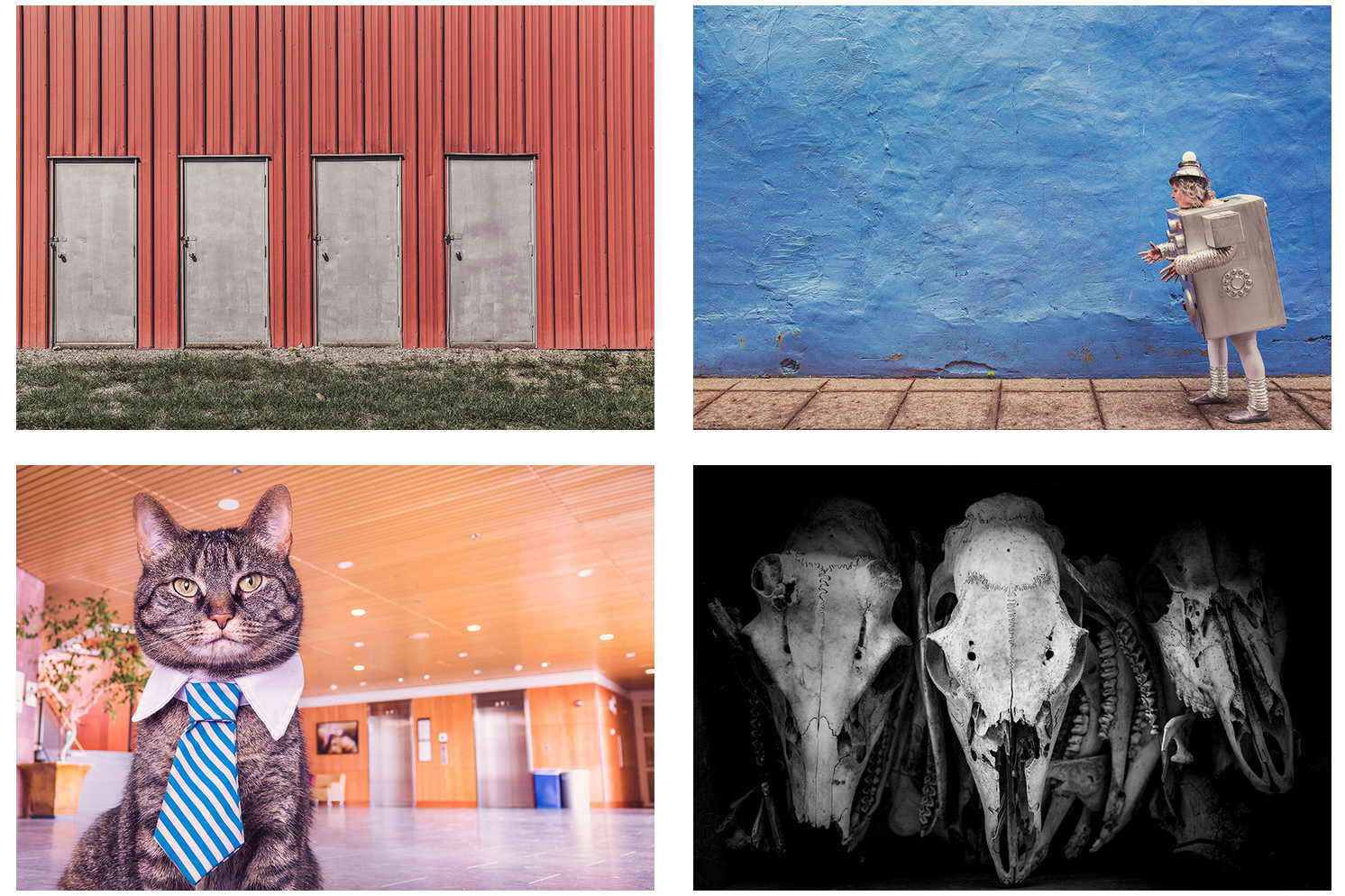
Gratisography. Not your average stock photography site

Gratisography. Not your average stock photography site

RawPixel

A new site for me is RawPixel. They got in touch after reading an earlier version of this guide and I'm happy to include them - if you work in design this site must be a godsend. There's a real variety here, not just in terms of the images but the way they're grouped and organised - check out the Boards section to see what I mean. Just for this image alone I will be using their site again - images of teaching seem to be almost impossible to find!

Finally a decent image of 'teaching' happening! And they've ever-so-helpfully left a lovely big copyspace on the board for you to write in whatever you like...

Finally a decent image of 'teaching' happening! And they've ever-so-helpfully left a lovely big copyspace on the board for you to write in whatever you like...

UKBlackTech

These aren't cc0 - they're Creative Commons Attribution - but I wanted to include them because they're a set of tech-focussed images focusing on BAME protagonists. It's great that UKBlackTech have made these available for free.
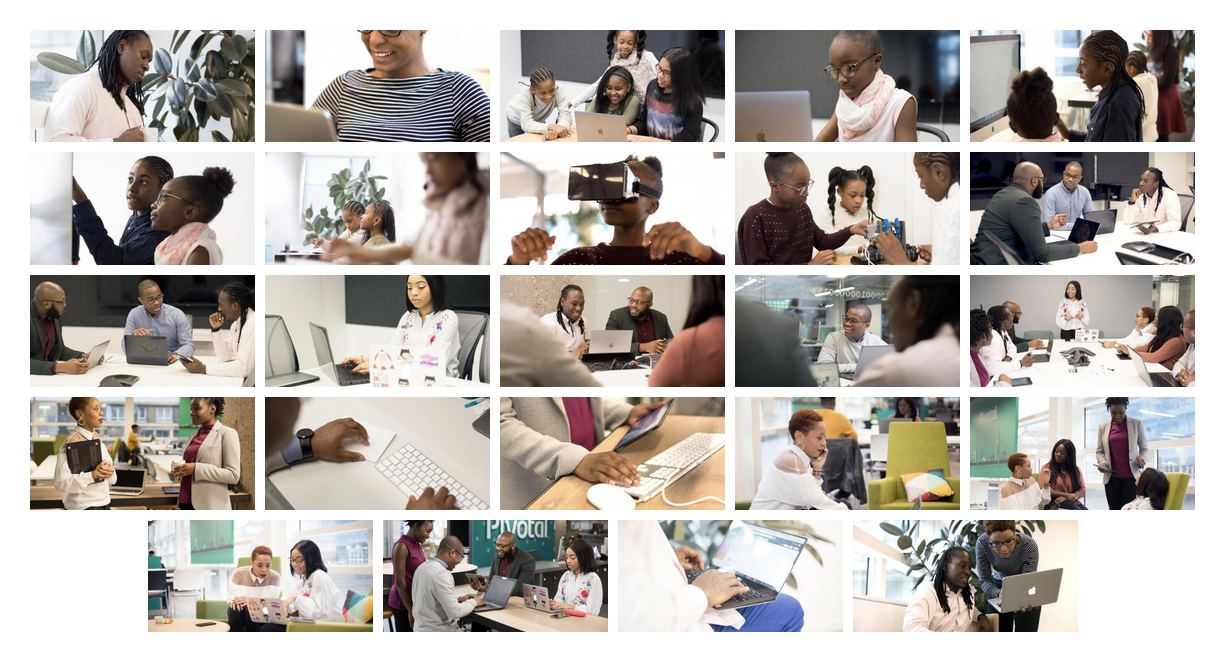
Download these images at ukblacktech.com

Download these images at ukblacktech.com

Free to use art and artwork imagery

An absolute ruddy masterpiece, from 1565, available to you, reader, to do with as you please, thanks to The Met

An absolute ruddy masterpiece, from 1565, available to you, reader, to do with as you please, thanks to The Met

  • New York Met

    375,000 images of artworks from The Met's collection to use, share, and remix without restriction. And it's the New York Met, so they have some of the most famous paintings in the world, like Bruegel's The Harvestors from 1565. 

  • Walters Art Museum

    Because the Walters owns or has jurisdiction over the objects in its collection and owns or customarily obtains the rights to any imaging of its collection objects, it has adopted the Creative Commons Zero: No Rights Reserved or CC0 license to waive copyright and allow for unrestricted use of digital images and metadata by any person, for any purpose.

  • Riks Museum Amsterdam

    The Dutch Rijkmuseum in Amsterdam has opened its collection to the public with the majority of its photographed artwork being released under a CC0+ license that requires attribution. You must create a free account in order to download.

  • Getty Museum

    Thousands of images of artworks are available for download, without charge, under the Getty's Open Content Program. Look for the Download button under the image.

  • Yale Center for British Art

    The Center provides free and open access to images of works in the public domain and certain other materials, and hopes to encourage further the use and reuse of its public domain resources by all who may have access to them.

  • Europeana Collections

    Europeana provides an extraordinary 8 million images which are completely free to re-use, covering the areas of Art, Fashion, Maps & Geography, Migration, Natural History, Music and others.


You’ll find details of my Presentation Skills or PowerPoint workshops here: you can book an all-day or half-day session for your organisation, online or in person. We look at a lot of great CC0 image sites and talk about how to find the right images for your presentations and social media.
How important is library branding? And other marketing questions...

Ahead of Internet Librarian International, where I'm running a workshop next week, I had an interesting chat about marketing with Caroline Milner. The Q&A is reproduced below because I thought there were some good questions!

What are the biggest challenges libraries face when marketing their services?
There are so many! A big one is that we have so much to offer - we're complex organisations, but complex marketing messages rarely work. So how do you boil down what we do into messages people can easily understand, without dumbing down? And not just understand our messages, but see how we fit into their lives? Another problem is constantly battling against the wider narrative that libraries are irrelevant or dying. Library use is astronomically huge when you compare it to other cultural activities, but I bet 99% of the public wouldn't guess that.

And of course, a major disadvantage libraries face is that most of us have little or zero budget for marketing. Everything we cover in my workshop costs time, but almost none of it involves shelling out actual cash, because for most libraries it's just not an option readily available to them.

How important is library branding?
It depends how you interpret branding... I don't think branding as in visual identity as important as other people say it is.

It's not that it isn't good to have great branding, it's that there are so many other things we need to get right before the branding becomes key from the user's point of view. If your message is simple, clear, focuses on the benefits, and has a good call to action, but looks average, that will be 20x more effective than most library marketing even if the branding is perfect on all those other examples. It's the message, and its relevance, that matters to the users.

The library branding should reflect the library brand. It should communicate who you are. It should help users identify us and remember us. Beyond that, the exact logo or colour scheme is really not that big a deal. The people who say it is are often (not always, but often) the people who make money as branding consultants.

What about the interaction between marketing in the physical space, and marketing online?
Library marketing works best when the two go hand-in-hand. You want people to see the same key message more than once. The online marketing should hook them in, but the messages in the building should reinforce those messages and deliver on the promise. People need to be reminded of the same things in different contexts.

How much emphasis should library marketers place on social media?
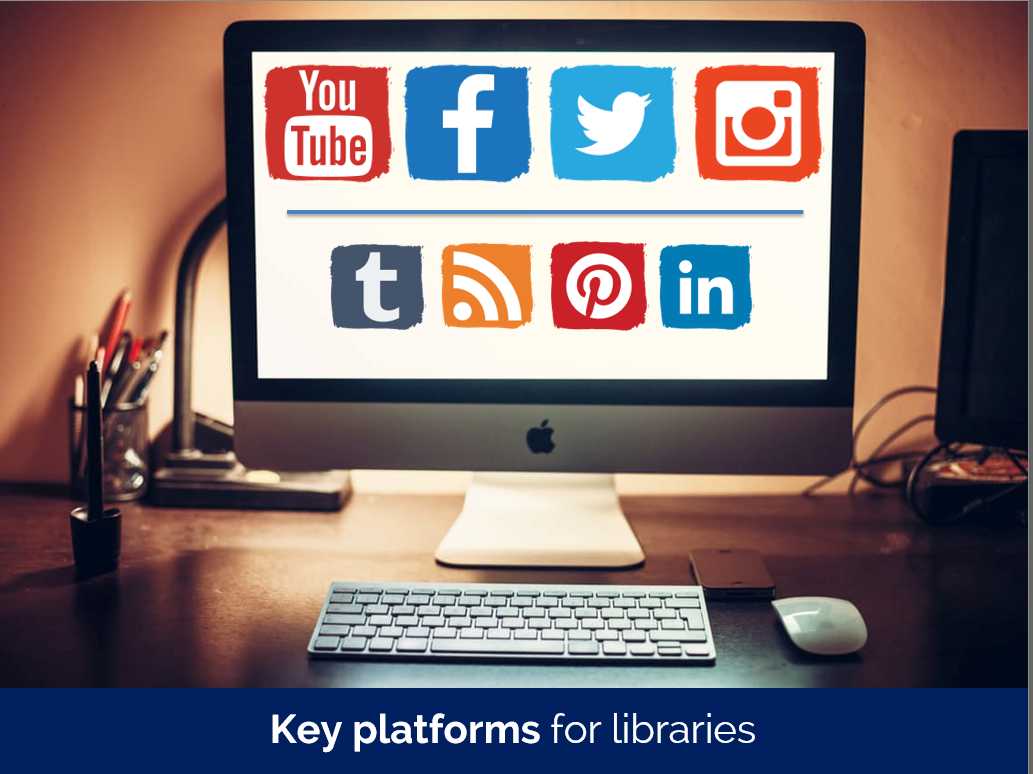
Loads and loads. It's hard to talk in general terms - for example, social media for a Law Library that almost exclusively markets to the Law firm it is attached to is less vital than social media for a public library trying to reach thousands of people in a geographical area. But for most libraries, social media was the last great marketing silver bullet. It was the last big thing we could do that completely revolutionises and improves our communication with users. From now on it's really all about making several small changes to affect greater results.

Don't get me wrong, social media can't exist in isolation. It's not as simple as just being on all the latest platforms and posting about the library. But used strategically in conjunction with other channels, it can be hugely productive. It suits libraries really well.

What about involving stakeholders – getting their buy in, and their active support? 
We mustn't forget to market upwards - an absolutely key stakeholder for libraries is the person or group who holds the purse-strings, or who decides on the future of the institution. We need to talk their language, and communicate how what we're doing with the library aligns with their aims. 

More generally, the stakeholders are our key user groups, and those groups are everything. Not just in helping you spread the messages - word of mouth marketing is the most effective marketing of all - but also understanding what those messages should be in the first place. Understanding the different segments of your audience, and tailoring the communications to each group accordingly, is a huge part of what we cover in the workshop. A small amount of marketing segmentation goes a long way.

6 Alternatives to Bullet Points


First things first: bullet points are not inherently bad. They can be very useful in written documents. When used in presentations, however, they stop your presentation being as effective. (They often turn presentations into written documents) In fact, your audience engages less, remembers less, agrees less and likes you less when you use bullet points in your PowerPoint presentations. (International Journal of Business Communication, 2015)

So why take that risk?

Usually the answer to that question is one of: 1) It's what I've always done, 2) It's the easiest way thing to do, or 3) Because what else would I do?

For me, 'we've always done it this way' is not a reason to do something. 'This is the best way to do it' is a reason to do something, and sometimes that overlaps with that we've always done, but not always. 

Presentations are often huge opportunities. You have a room full of people giving you your attention (with potentially thousands more online afterwards) and you're there to talk to them about something significant. So although bullets may be easy, why not make the most of the opportunity? Why not do everything you can to not only get your message across but to get it to stick in people's minds? And finally, the 'what else is there?' issue - well, here are five alternatives to using bullets.

(Subscribers, there's LOTS of images in here, some of them stacked up as slides. It's probably going to be a lot easier to view this on the website itself rather than in an email / feedreader - here's the link.)

1) Just put fewer words on the slide

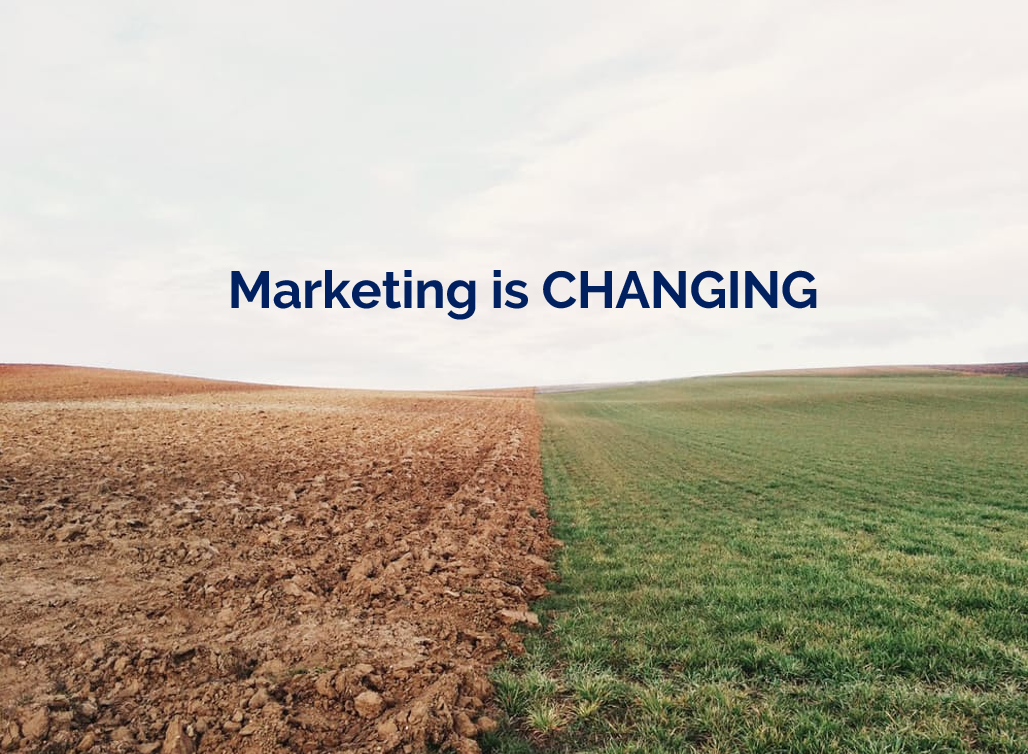
An example of using fewer words without reducing the impact

An example of using fewer words without reducing the impact

An obvious and straightforward place to start. Take away everything you don't need - if it's surplus to requirements, if you can remember to say it out-loud, or if it doesn't really matter whether you say it or not, just get rid of it!

The example here is a slide I used in a recent workshop. I could of course have listed all the ways in which marketing is changing, using bullet points to separate them. But I felt the slide would have more impact with just a single sentence written on the screen, me listing examples out loud, and a visual metaphor as the background image.

2) Cascade the key messages across multiple slides

Rather than making four or five points on one slide (and risk your audience reading ahead and getting out of sync with you the presenter), make one point per slide over four or five slides. This gives each point room to breathe, and helps with signalling to ensure your audience understands and remembers you.

If you're making several points on a theme you don't have to make new slides from scratch for each one - just do the first slide, right-click and Duplicate it, then edit the text on the duplicated version. I've used this technique in the examples below (use the arrows to switch between slides):

If you've got the most recent PowerPoint you can use the Morph transition between the slides, which works really nicely.

People worry that this method will mean a longer presentation but this isn't the case - you take the same amount of time overall, but cycle more quickly through the slides.

3) Use colour to make lists readable, rather than use bullet points

An example of using colour to differentiate chunks of text

An example of using colour to differentiate chunks of text

There are times when you need several points on a slide - for example when you're showing an audience what you'll talk about, or are summarising something, or making comparisons. In these instances neither of the first two techniques are appropriate; you need all the text on one screen. So just write it out like you normally would, but get rid of the baggage and negative associations of bullet-points by not using them - and recreate the POINT of them (making text easier to read) by using alternating colours.

In the particular example shown here, I've actually built up to what you see over three slides. The first just says has the alternating colours text list much larger and in the centre of the screen, then the second is as you see above but with the Bodleian's reply hidden, and then lastly the slide you see here.

4) Highlight key sections of your slide, one by one

I do this a lot - sometimes by building the content of the slides one animation at a time, or by changing the colour to highlight each section, one at a time. Again it means you can have all the points on screen, but you're not using bullets and you're in sync with your audience.

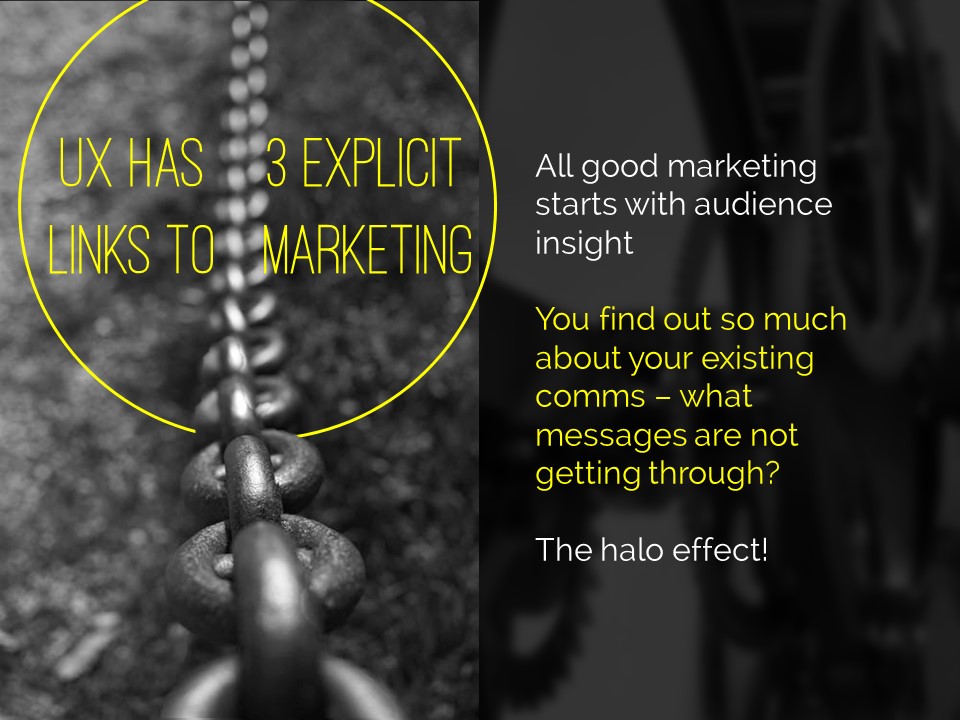
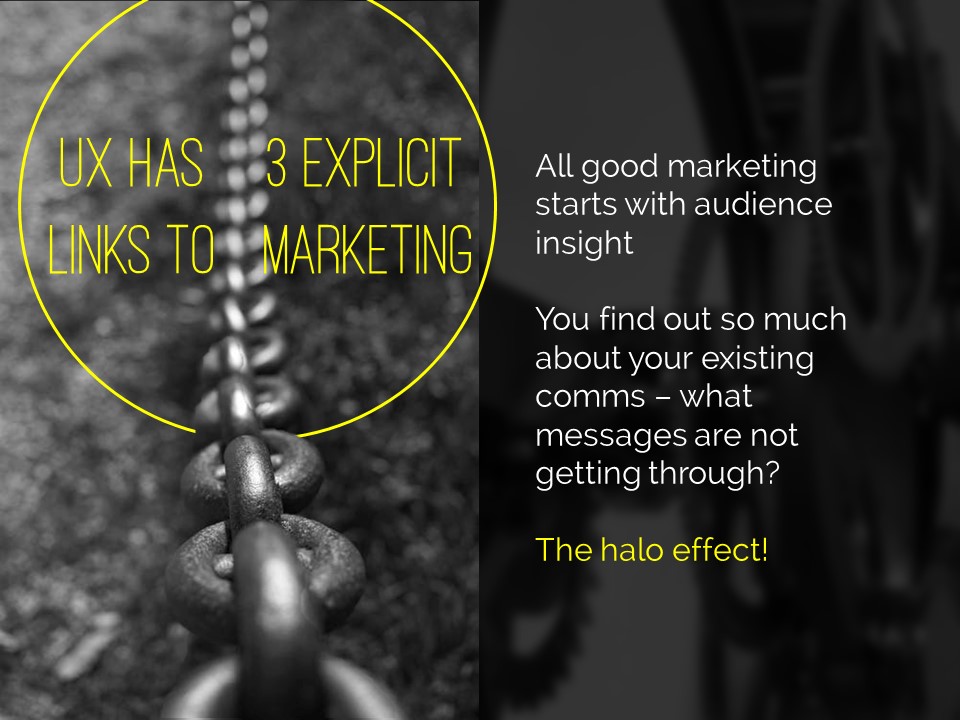
In the example below I've got all three points on screen but each one is highlighted yellow (picking out the yellow from elsewhere on the slide) while I talk about it - again use the arrows to move between them:

5) Turn your bullet points into something visual

An example of using icons instead of bullets

An example of using icons instead of bullets

A fifth option is to basically use bullets without people thinking 'Aargh, bullet points, death by PowerPoint here I come' etc. Use icons (for example from iconfinder.com) as bullet points - the images will help your audience learn. A basic example is shown here.

6) Combine several of the techniques above

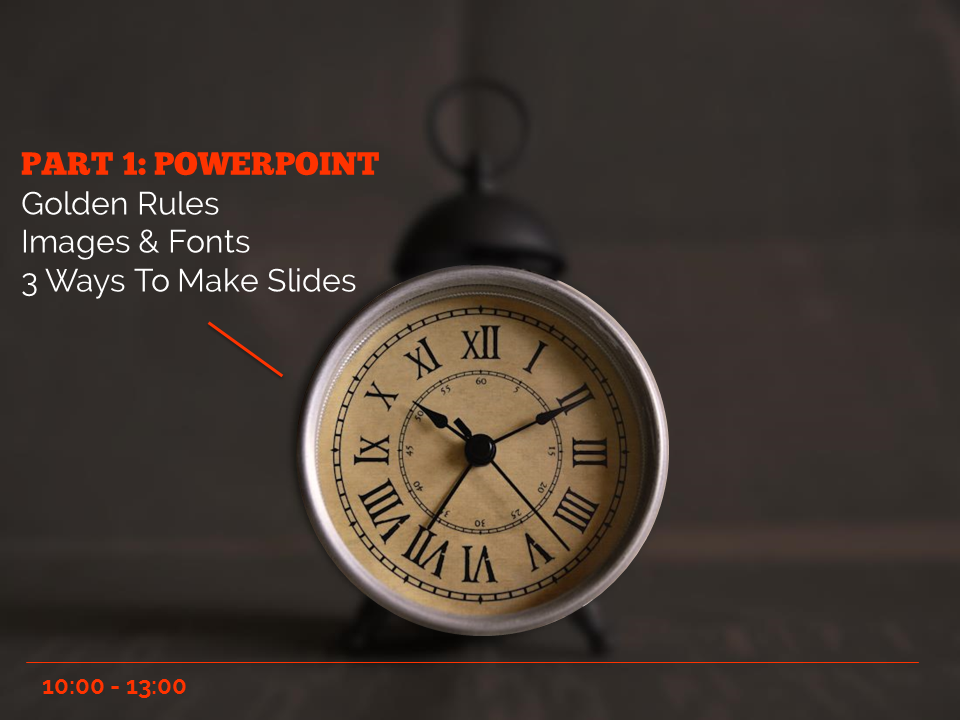
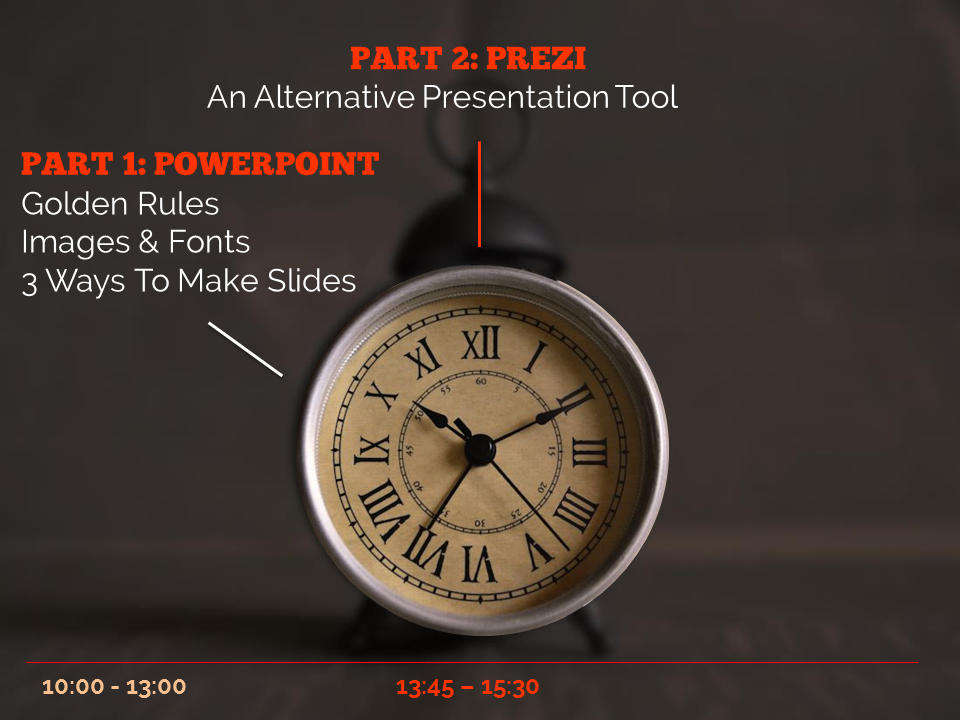
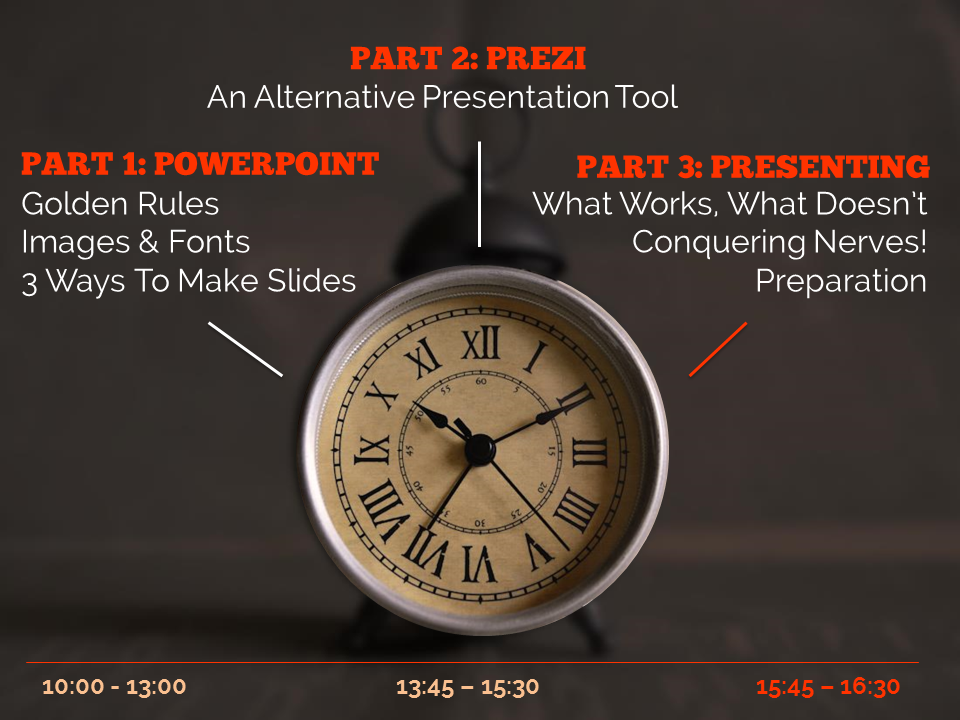
The final example below is how I introduce the timings for my Presentation Skills training days. It does what a single slide with bullet points would do, but uses colour and visual elements over three slides to introduce the information in a more engaging way. Part of the reason I bothered doing this is the slides allow me to talk about each part of the day in turn, whilst staying in sync with my audience, AND it allows the audience to see the full day's timings in one go on the final slide of the sequence.

So there you go! Several ways to avoid bullet points. It's really worth taking a small amount of time to rewrite presentations to avoid bullets: your audience will thank you for it...


You’ll find details of my Presentation Skills or PowerPoint workshops here: you can book an all-day or half-day session for your organisation, online or in person.

Coming up: online marketing workshops for New Zealand and Australia libraries!

I'm absolutely thrilled to say I'm working with PiCS again, this time to deliver online training. With PiCS I've previously run marketing training in Sydney, Melbourne and Brisbane, and an emerging technologies in Auckland, and they always go all out to put on the best possible day.

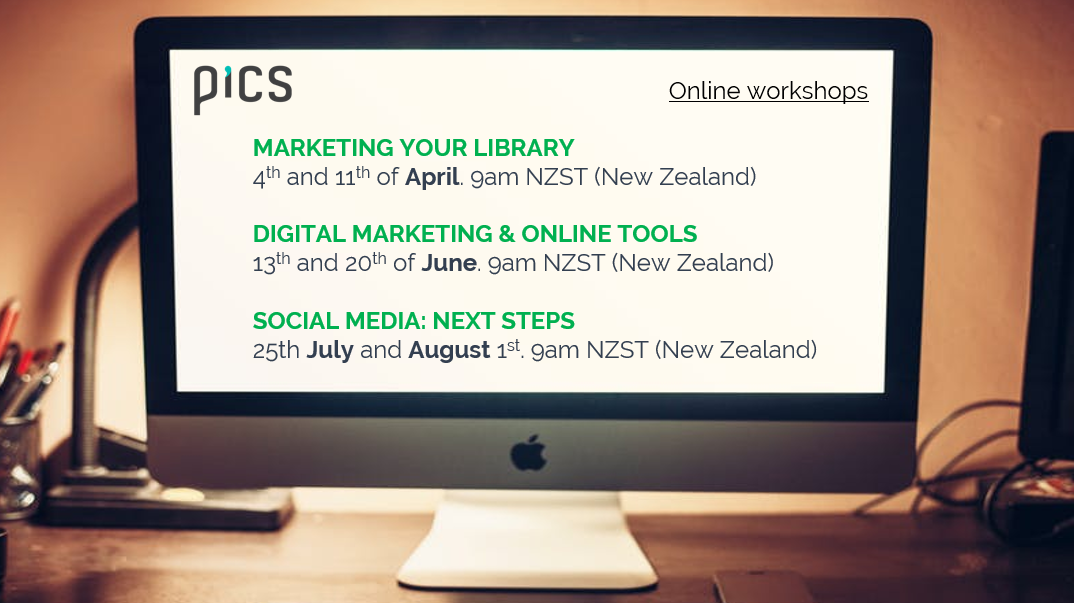
If all goes to plan I'll be back in Oz in 2018 to deliver some face-to-face workshops on Presentation Skills (aimed specifically at information professionals), and in the meantime we're collaborating on three workshops online: Marketing your library (running across March, April and May), Digital Marketing and Online Tools (running in June) and Social Media: Next Steps (running across July and August).

It's all quite complicated because of running them at different times for different time-zones. Each course takes place in two sessions - 2 hours one week, then 2 hours the next week at the same time. There are New Zealand versions and Australia versions... Here are the details:

For me and Viv at PiCS trying to work out timings here has been brain-meltingly complicated, not least because in the case of the New Zealand timings I'm actually delivering them at 10pm the previous day, UK-time, for them to run at 9am Auckland time! The Australian ones are slightly more straightforward, with the training happening at 6am for me...

Anyhow, I'm really looking forward to this. All the courses are tailored for the online environment and I promise we won't be in the standard 'death by webinar' mode here: these are interactive, participatory, and hands-on workshops: you'll be DOING as well as watching and listening. It's going to be ace.

For info on the content and booking etc see the individual workshop pages linked above - for the rest of this post I'm going to use a Q&A format to explain some more about how these sessions will work.

How long are the workshops?

Each session is 2 hours long - any more than that is too much screen time in my experience. There'll be a 5 minute break in the middle, and pratical exercises throughout so it's by no means listening to me for 2 hours. Then there's a week off and a second session of 2 hours, and in between there might be some activities to explore and report back on. So in total each set of workshops will take 4 hours.

Will I be able to ask questions and interact with fellow attendees?

Yes absolutely. I use two screens, one of which has the discussion window open the whole time - so I can pick up questions as they come in rather than needing a section of the training where a moderator coordinates the questions. You can also talk to each other in the discussion. And you can message me in the session if you want to ask a non-public question.

Could I attend all three courses or is there overlap in content?

All three courses are about communciation so certain themes run through each, but none of the fundamental content is the same and none of the tasks and exercises are the same.

I came to your LIANZA marketing workshop on marketing - should I still sign up for the online version?

The workshop at LIANZA was a super-condensed version of the workshop, crammed into 1.5 hours and needing to work for 130 people! Places on these new sessions are limited to small numbers, and over more than twice the time, so the marketing one does contain a lot of material that wasn't included at LIANZA. I've also added a few new sections to the training since late 2015. However there is some overlap! So you'll hear a few things you heard previously. But I'd say there's enough new and additonal content to make it worthwhile.

I came to your Digital Marketing & Online Training full day in Auckland - should I still sign up to the online version?

I'd say 'no'. Although there's new content since the Auckland workshop, a lot of it will cover similar topics so you'll find yourself repeating exercises. Of course you're more than welcome to attend anyway! But I'd recommend attending one or both of the other two workshops (Marketing your library service, and Social Media: Next Steps) instead.

I came to your Marketing Your Library full day in Brisbane / Sydney / Melbourne - should I still sign up for the online version?

The workshop does have some new sections in since the sessions I ran in Australia but a lot of the content is similar, so I'd recommend signing up for one of the other two online workshops instead.

Can I see just the workshops listed for my time zone?

Yes you can!

Or there's more details including links to booking below:

I have more questions!

No problem, either leave them in a comment, or send me an email.

I look forward to seeing some of you online!

UX, ethnography and possibilities: for Libraries, Museums and Archives


I spoke about UX last week at a Welsh Government event in Aberystwyth, the annual Marketing Awards for the Library, Archive and Museum sector. It was a rare chance to talk to an audience not just of information professionals, and I had a great time. I'm really hoping some of the User Experience in Libraries movement now spills over into museums and archives too...

My presentation consisted of an introduction to UX, examples of 7 ethnographic techniques, a brief section of user centred design, and then several instances of UX-led changes - things people have done to tweak or change their services, based on ethnographic fieldwork. For this part thanks to Andy Priestner, Jenny Foster, Ingela Wahlgren and Carl Barrow for their examples, and it also has in it a bunch of things we've done at my own place of work. The final section consists of some next steps, for those wishing to dip a toe in the UX waters at their own institution.

I had several interesting conversations after my talk, with some people who were already doing UX (we agreed it can really energise the workplace) and some people who wanted to try it out. Two completely independent and unrelated chats with people from the museum sector were about using UX with people in difficult situations - one was around early onset dementia, and the other was about returning to work after periods of incarceration. I don't know if ethnography is already used in these settings but it sounded potentially fascinating, and an angle to this work I'd never considered.

There was also an absolutely brilliant presentation from Mari Stevens, who is Director of Marketing - Tourism and Business, at the Welsh Government (having started off in the library sector). Her slides were ace and she was a hugely impressive speaker. The scope and scale and ambition of her marketing plans for the country I found absolutely inspiring. The presentation was half in English and half in Welsh with live translation into ear pieces for those like me who needed them - the translator did a pretty amazing job too.

It was great to see the National Library of Wales, which towers over the town like, as Penny Andrews put it, a massive BOOK FORTRESS.

Huge thanks to Jane Purdie for inviting me to Wales (we've been trying to sort this out since 2015 so it was lovely to finally make it happen) and to everyone at the event for being so welcoming and asking insightful questions, and for giving me lots of ideas for good marketing practice to take away with me... And if you DO start doing UX at your institution, please get in touch to let me know how it goes!